








Google is rolling out new updates to its Chrome browser that integrate its Gemini 3 AI model into the browsing experience. The changes include an AI side panel, multi-step task automation called Auto Browse, Nano Banana in Chrome, and connections with other Google services. The new features are available on MacOS, Windows, and Chromebook Plus.
Auto browse brings multi-step AI tasks to Chrome
The company is updating Chrome to include a new agentic feature called Auto Browse, which uses its Gemini 3 AI model to perform multi-step web tasks on behalf of users. Auto Browse is currently rolling out in preview in the United States for Google AI Pro and Google AI Ultra subscribers.
Google says Auto Browse can handle multiple steps task, such as researching hotel and flight options across different sites and dates, filling out online forms, scheduling appointments, managing subscriptions, and finding quotes for services.
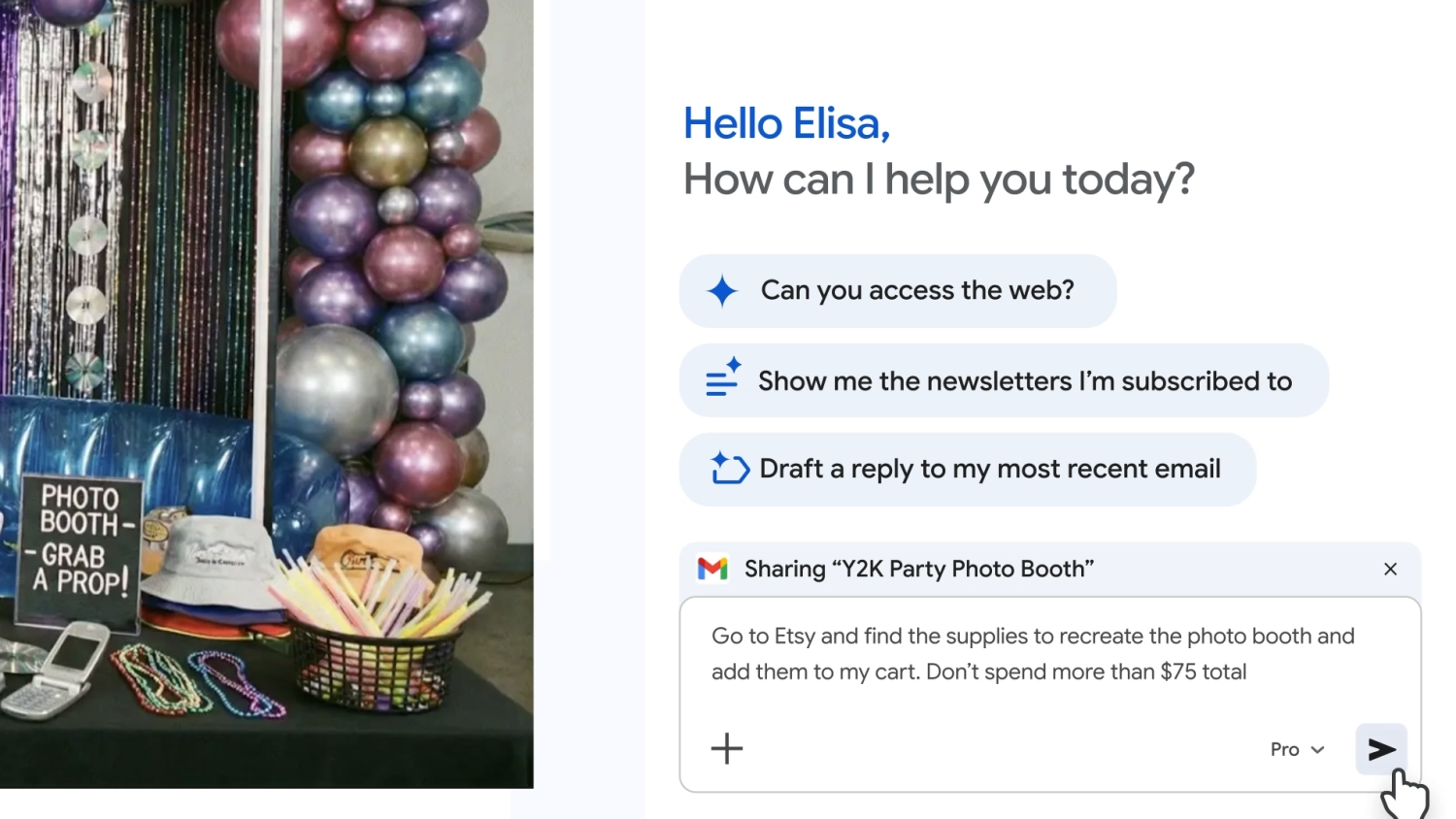
In Google’s demo, a user asks Gemini to research products across multiple websites. The AI opens relevant pages, collects and compares details, and can organize the information while the user continues browsing.
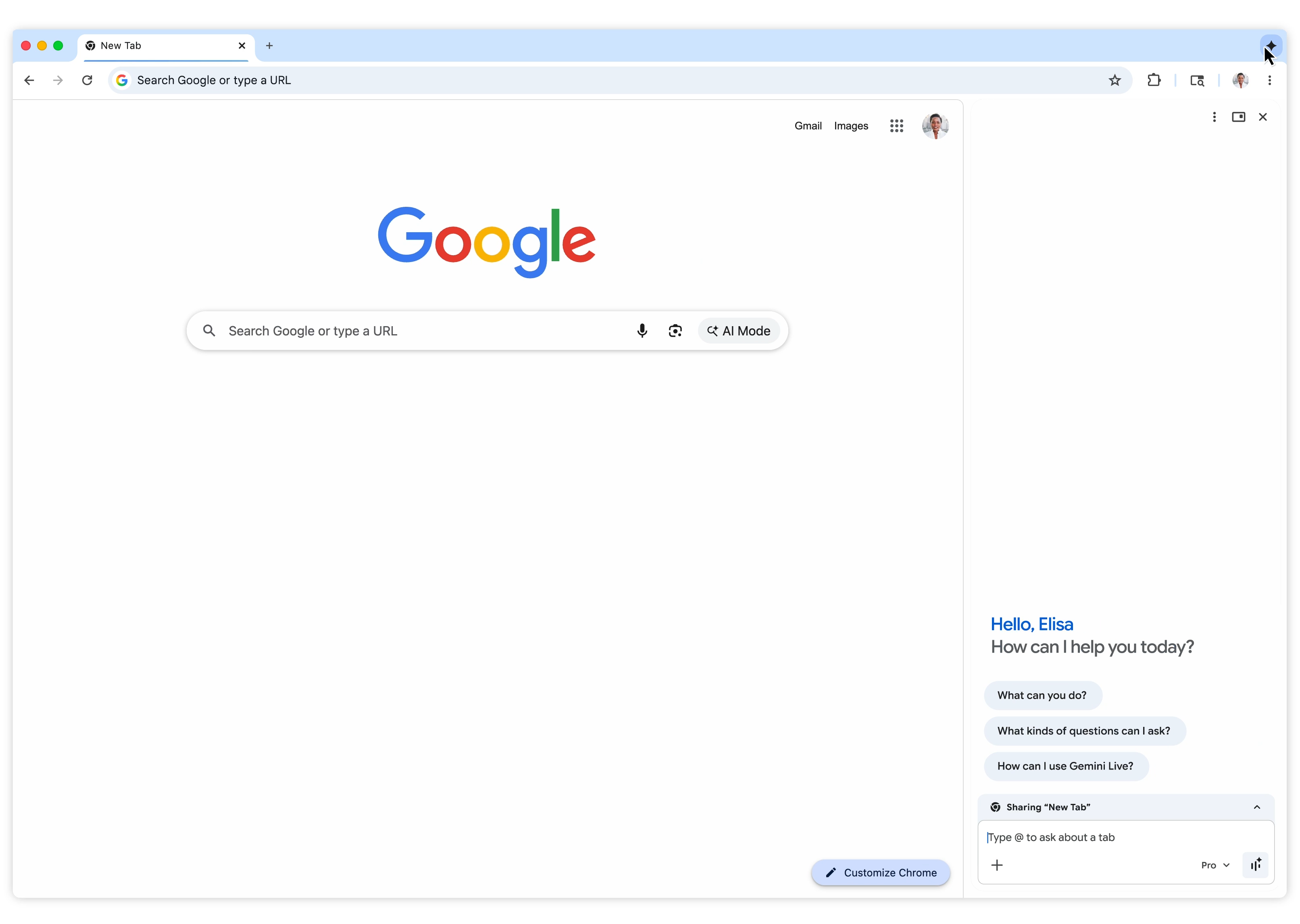
Chrome now includes a fixed Gemini side panel that remains available while users browse in other tabs, rather than the previous floating chat window. The side panel allows users to interact with Gemini directly alongside their browsing activity.
Continuous AI access with the sidebar
Chrome now includes a fixed Gemini side panel that remains available while users browse in other tabs, rather than the previous floating chat window. The side panel allows users to interact with Gemini directly alongside their browsing activity.
Integrations with Google services
Google says Gemini in Chrome can now interact with other Google services, such as Gmail, Calendar, YouTube, Maps, Google Shopping, and Google Flights, which can be used to reference information across apps when completing tasks or answering queries. These features can be enabled in the Connected Apps section of Gemini Settings.
AI image tools and commerce support
The update includes Nano Banana, Google’s AI image editing tool. Users can generate and edit images directly in the browser using text prompts on the AI sidebar, without needing to download and re-upload files. This is available to all Gemini in Chrome users.
Chrome also supports the Universal Commerce Protocol (UCP), an open standard that allows agent-based shopping and commerce interactions across participating platforms.

Preparing for Personal Intelligence
Google has said it will introduce Personal Intelligence to Chrome in the coming months. This will allow Gemini to use past context from connected apps, with user permission, to create responses that reflect prior activity and preferences. The company recently introduced this feature in AI Mode.
AI in browsers is becoming standard
Chrome first integrated Gemini months ago and is now expanding AI capabilities as major browser platforms compete to shape the next phase of AI-driven web browsing. OpenAI recently launched Atlas, a browser-based agent for web tasks. Perplexity also rolled out Comet, an AI browser available to all users globally. Opera previewed Neon, built around automated workflows. Microsoft continues to add conversational and task-focused AI tools to Edge.

 Free tool · Meta Ad Library