







Google has added a new property type to Search Console, called platform properties, that lets social and video creators track how their posts perform on Google Search and Discover. According to Google, the feature allows owners to see which search terms lead people to their content and how audiences interact with their posts.
Search Console has always reported on how a website appears in Google Search. Platform properties extend that reporting to people who publish on other companies' apps, so a creator can see which searches surface their content and how often people click through, without owning a site of their own.
Platform properties support platforms such as Instagram, TikTok, X, and YouTube and work even for creators who do not run their own website.
Three Reports for Creators
Adding a platform property gives a creator three reports, as set out in Google's Search Console help documentation. The Performance report shows total clicks, impressions, average click-through rate, and average position. It can also be filtered to see which posts and search terms drive the most traffic across Search, Discover, and Google News. That data is exportable, giving creators and their marketing teams a way to compare which formats and topics earn Search visibility.
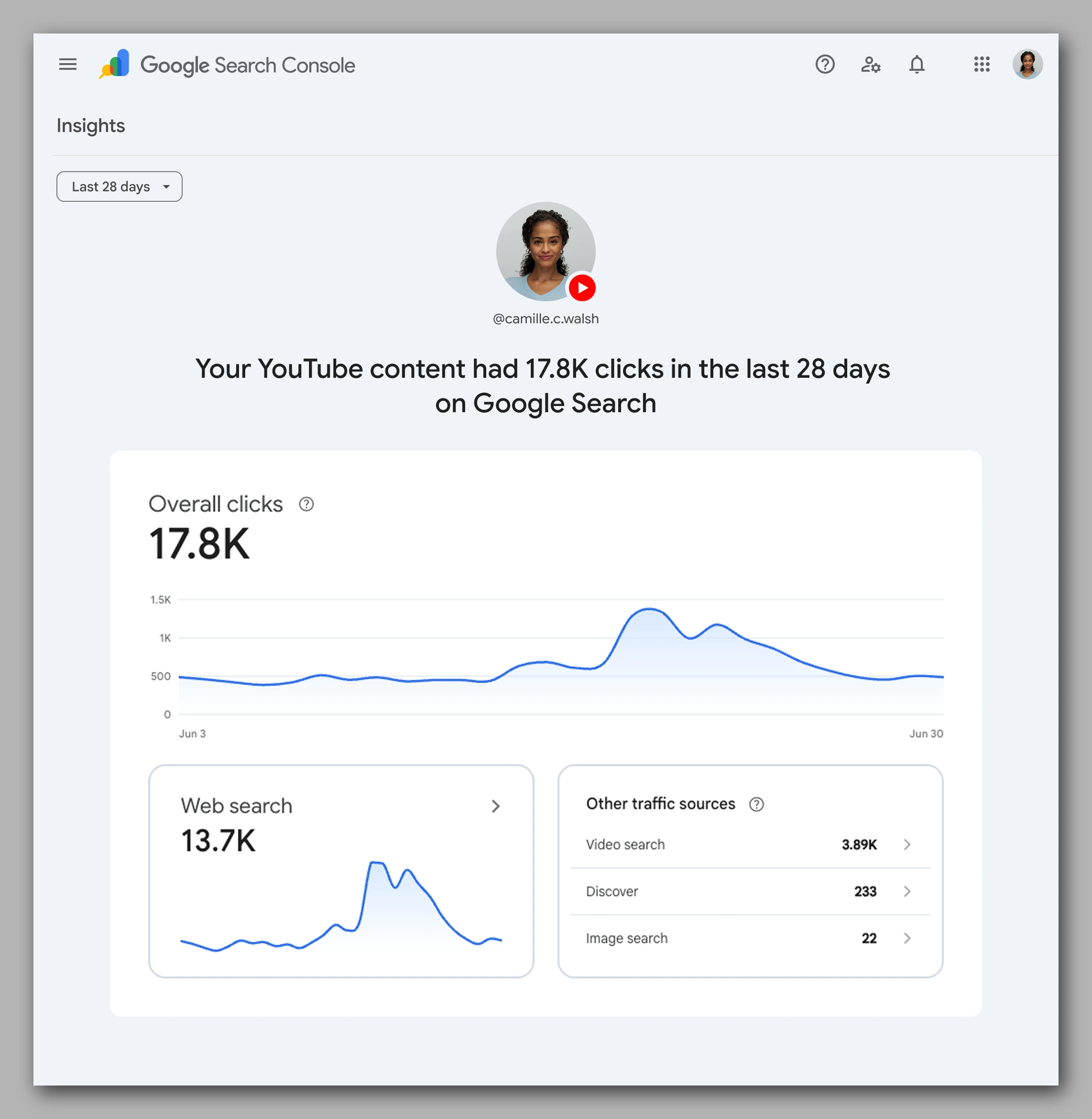
The Insights report gives a high-level overview of recent traffic trends, top content, and how people find a creator's account on Google. The Achievements report tracks growth milestones, such as passing a new total-clicks threshold from Search. Google says the default date range for the reports is 28 days.
What the Reports Do Not Show
Google notes that platform properties measure performance on Google Search only. They do not count views inside each app, so the number of times a video played on TikTok will not appear in the reports. As a guide to the data, Google counts an Instagram story that surfaces in search results as an impression, and a tap on it as a click. The reports cover how content shows up in Search, Discover, and Google News, not on-platform reach.
How to Set It Up
Setup follows three steps in Search Console. First, a creator opens the Search Console welcome screen, or the property selector drop-down in the sidebar and clicks Add property. Then the creator clicks Add next to one of the four platforms and follows the prompts to verify ownership of the account.
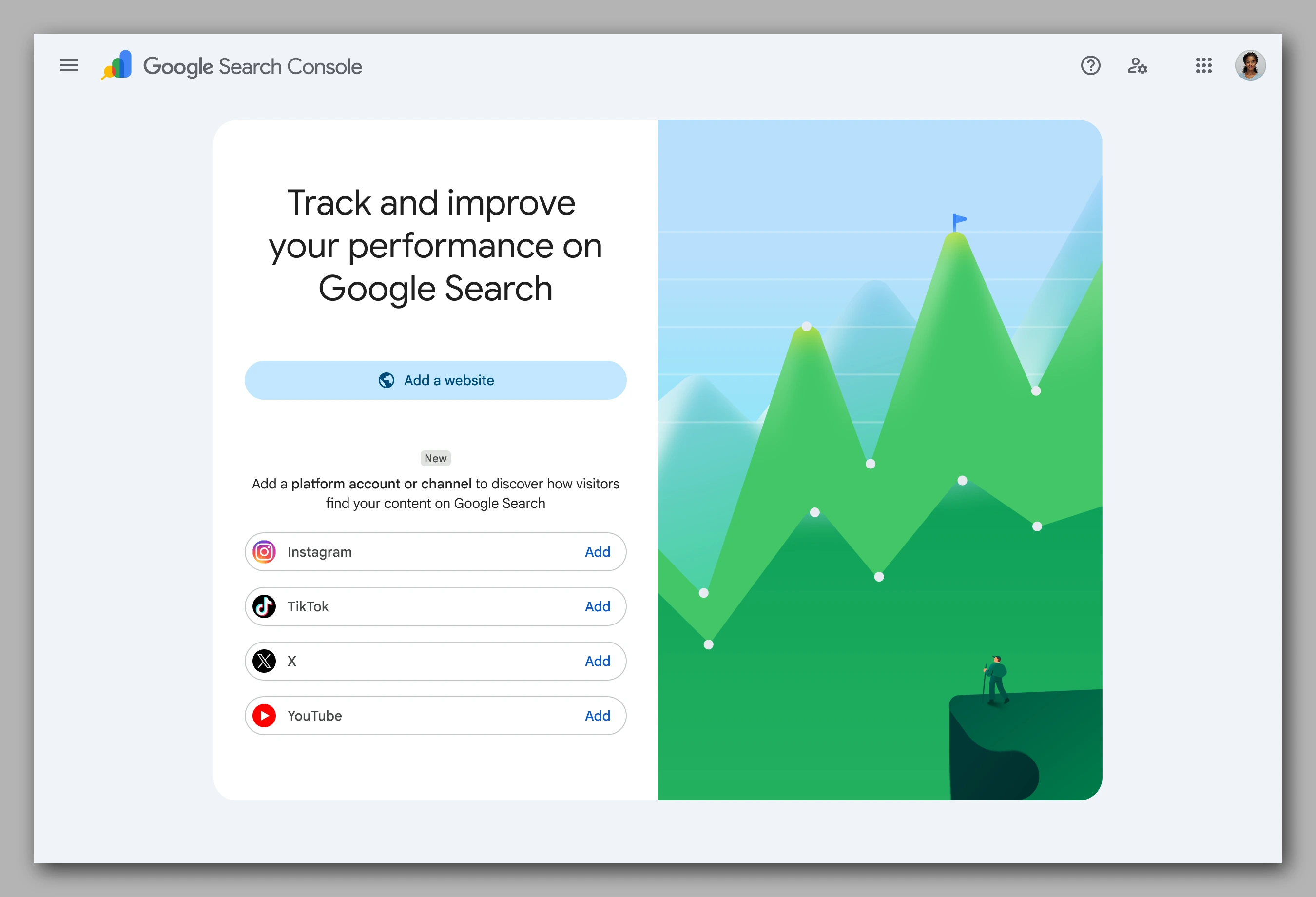
Once ownership is confirmed, the creator clicks Go to property to finish setup, and data begins to appear after a few days. Google advises adding each account or channel as its own property so that every profile is tracked separately.
Ownership is re-checked periodically for security, and a lapsed connection can be re-verified without losing past data. Google is rolling the feature out gradually over the coming weeks, so it may not be available to every creator yet.
Where It Fits in Google's Creator Push
The addition continues Google's build-out of creator tooling inside Search. In June, the company launched Search Profiles, a claimable page that pulls a creator's content from across platforms into one place on Search and Discover. Google's platform properties are the performance data behind that public page.
The update also builds on the AI performance reports Google added to Search Console for measuring how pages appear in AI surfaces. The additions widen Search Console beyond its original audience of website owners to the social and video creators who reach audiences on other platforms.
Recap
What are platform properties in Search Console?

Platform properties are a new type of Search Console property that lets creators and publishers see how their Instagram, TikTok, X, and YouTube content performs on Google Search and Discover, including creators who do not run their own website.
How does a creator set up a platform property?
In Search Console, a creator opens the welcome screen or the property selector, clicks Add property, chooses a supported platform, and verifies ownership. Each account is added as its own property, and data appears after a few days.
What can creators track with platform properties?
Three reports show the data. Performance covers clicks, impressions, click-through rate, and average position; Insights covers traffic trends and top content; and Achievements tracks growth milestones. The reports measure Google Search performance only, not views inside each app.