

Three client sites, a half-empty editorial calendar, and a tool that promises a fresh article every morning. That's the position most content leads are in when they start hunting for Outrank alternatives: the offer sounds right, the drafts still need checking, and the invoice needs justifying to someone.
Outrank's own company page describes a product built in 2024 and based in Paris, sold as a single Organic Growth plan at $99 per month, or $999 per year billed annually, covering 30 articles a month (as many as 360 a year), unlimited keyword research, automated backlink building, AI images, unlimited users, publishing to WordPress, Webflow, Shopify and Framer, and a 3-day free trial (Outrank company background). One plan, one price, one workflow to accept or replace.
The question worth answering is narrower than a feature comparison: how much of the pipeline should the software own, and how much has to stay with a person? The list below runs from most hands-off to most hands-on. The first two publish on your behalf, the next five put an editor in the loop, and the last four plan and research while your team writes.
Table of Contents
- 1. The SEO Agent
- 2. RankYak
- 3. Frase
- 4. Surfer
- 5. Semrush Content Toolkit
- 6. NEURONwriter
- 7. Scalenut
- 8. Ahrefs
- 9. Clearscope
- 10. MarketMuse
- 11. Writesonic
- How the Outrank alternatives differ on workflow, trial options, and best-fit users
- Choosing an Outrank Alternative Without Paying for Features You Won't Use
1. The SEO Agent
The SEO Agent is the closest thing on this list to handing over the whole pipeline and checking in once a day. Onboarding crawls your site, maps your audience and competitors, and surfaces opportunities against live search demand and SERP audits, so the plan starts from pages you already own.
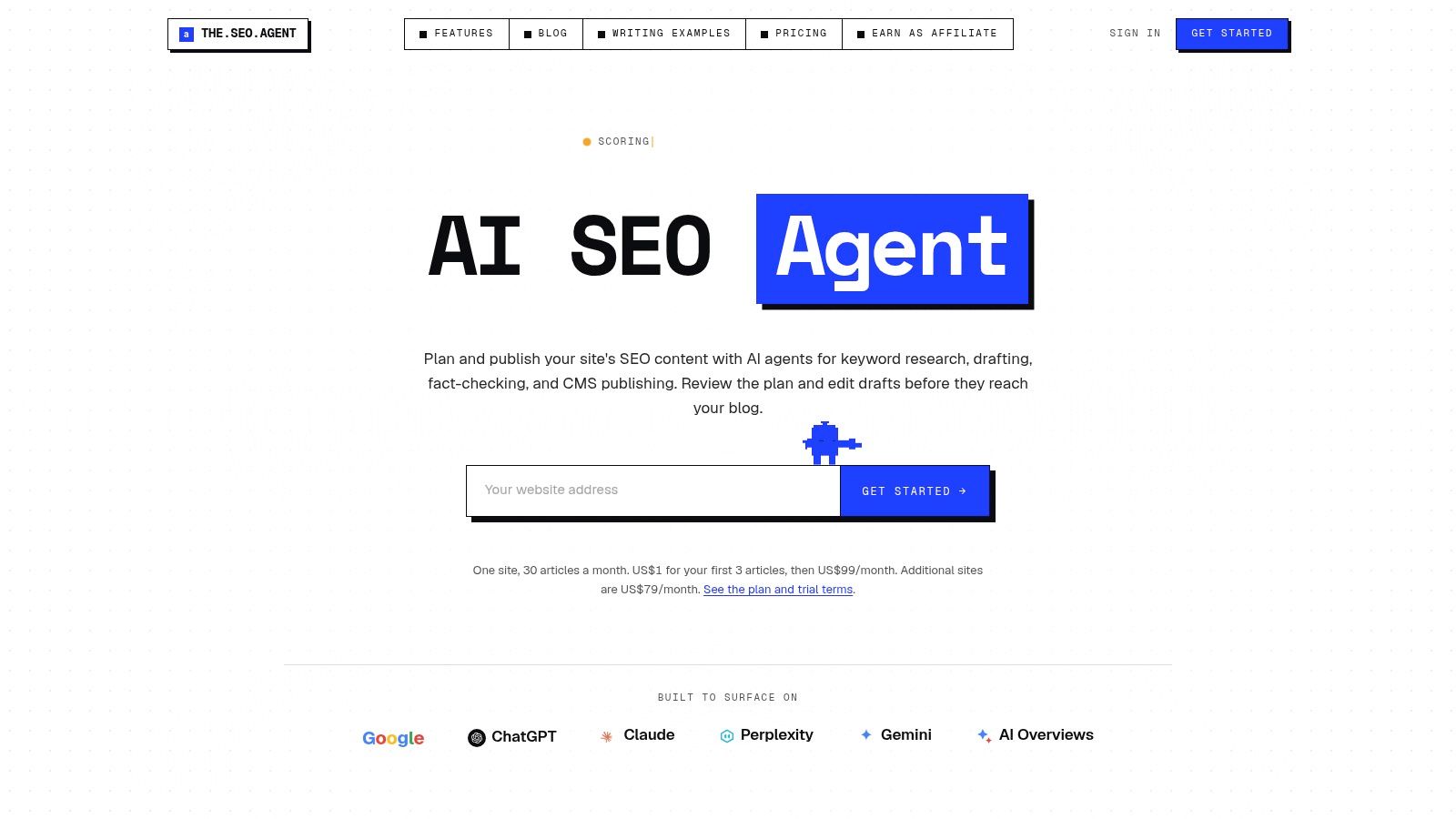
A Research Agent filters out topics you already cover and routes the keepers into planner cards for one-click approval. Drafts are written H2 by H2 in your voice, cited against live sources, and scanned for originality and readability. The refusal-based quality gate is the part that matters operationally: anything scoring below your floor halts instead of publishing. Internal links wire into existing pillars, images are generated and alt-tagged, and schema, slugs and scheduling happen without a checklist.
Native publishing covers WordPress, Webflow, Shopify, Ghost, Wix, Notion and Framer. Start with $1 for 3 days, then $99 per month, with one-click cancellation inside the account (The SEO Agent workflow and pricing).
Where it fits
Founders and lean teams that would rather ship product than write posts. One keyword in, one researched, cited post out, on a schedule you can pause.
If you're leaving Outrank specifically for its link exchange, read the user reviews collected on G2 before buying the same model elsewhere. Some reviewers credit the exchange with simplifying authority building; others describe the resulting links as low-authority or spam-like, and separate complaints mention unclear post-trial billing and cancellation friction.
2. RankYak
RankYak is the nearest match here to Outrank's hands-off publishing rhythm. It's worth a trial if what you liked about Outrank was the calendar rather than the dashboard.
What it handles: site-specific keyword research and content planning, scheduled production of up to one article per day per site, publishing into WordPress, Webflow, Shopify and other setups, and automatic updates for articles losing ground, according to its product materials. Pricing runs at $99 per site monthly with a three-day trial (RankYak).
- Good fit: multi-site operators who can budget per property and want planning, writing and publishing in a single workflow.
- Poor fit: teams that want to shape an outline before drafting. Automation leaves less room for hands-on control than an editor-first tool.
- Watch the meter: at $99 per site monthly, five properties is a line item to forecast before committing.
- Review stays yours: generated articles still need an editorial pass, especially on claims about your own product.
Per-site pricing buys predictable scope. It doesn't buy accuracy, so budget editor time as a fixed cost rather than an exception.
3. Frase
Frase sits firmly on the editor-first side: research, scoring, audits and publishing in one workspace, with a person deciding what ships.
What it does: SERP-aware briefs, real-time on-page optimization scoring, content audits, SEO and generative-engine-optimization scores with AI visibility features, and publishing integrations for WordPress, Webflow, Sanity, Wix and FraseCMS. Content Guard monitors decay on pages you've already published, and the Starter plan's agent can publish automatically once you allow it (Frase).
The pricing explains why writing teams end up here. A directory comparison of seven alternatives found four started below Outrank's $99 entry, including Frase at $49 and Surfer at $59, with the median listed starting price at $59 per month, which is $40, or 40.4%, below Outrank's monthly plan (Outrank alternatives directory). Lower entry pricing isn't the same scope, since several of those tools stop at briefs or scoring.
- Seven-day trial, no card required.
- Article and audit-page caps apply at every tier.
- Extra seats cost more on higher plans.
- Fact-checking stays yours. No scorer replaces a source check.
If brief generation is the specific job you're replacing after another tool shut down, this guide to Magic Brief alternatives covers that narrower problem.
4. Surfer
Surfer is built for people who write first and improve second. The Content Editor scores drafts against the pages currently ranking, audits cover pages you already have, and topical maps feed the calendar.
Strengths: a SERP-informed editor that writers open, content audits and page tracking, topical maps, AI article generation with plan-dependent limits, and a seven-day money-back guarantee on qualifying monthly subscriptions (Surfer).
Limits: heavier use pushes you onto a more expensive tier, AI article credits and editor seats depend on the plan, and there's no daily auto-publishing rhythm of the kind Outrank or RankYak run. If your bottleneck is that nothing gets written, Surfer doesn't fix it. If your bottleneck is that what gets written doesn't rank, it often does.
The honest test for an editor-first tool is a page you already published that underperformed. Run it through and check whether the suggestions are edits you'd actually make. If they read like keyword stuffing, walk away.
Teams running Surfer often pair it with a publishing step they own. That's a fair division of labour for a team with a writer and a reviewer, and an awkward one for a solo operator publishing daily.
5. Semrush Content Toolkit
The Content Toolkit is the content arm of a broader SEO data platform. Topic Finder surfaces ideas, the SEO Brief Generator and AI Article Generator produce drafts, brand-voice features hold the tone, and WordPress publishing closes the loop (Semrush Content Toolkit).
The appeal is continuity. Research, briefs and drafts sit next to the keyword and competitor data your team already pays for, so a content decision doesn't begin with a CSV export.
Volume is where it narrows. Entry plans across this category run from roughly $39 to $149 per month, and the Content Toolkit's base plan includes five SEO-boosted articles monthly, against 10 in Frase, about 30 in Outrank and BlogSEO, and approximately 50 credit-based articles in Search Atlas. CMS connectivity differs too: Frase supports WordPress, Webflow, Wix and Sanity, Outrank lists seven integrations plus a webhook, and Search Atlas supports any CMS (comparison of leading tools).
Five boosted articles suits a team publishing weekly. It won't run a daily program, and additional users plus some reporting features add cost on top. AI-answer tracking usually sits in higher tiers or add-ons in this category, so price it separately from production.
Buying rule: calculate seats and article caps at the volume you actually publish, not the volume printed on the pricing page.
6. NEURONwriter
NEURONwriter is the value pick among editor-first tools: content documents and optimization workflows, AI credits and templates with plan-dependent limits, and content planning plus idea generation once you move up a tier (NEURONwriter).
- Entry price undercuts most editor-focused competitors, which matters to a solo operator paying personally.
- Tiered scaling raises document and project limits without forcing a tool migration.
- Integrations for Google Search Console and WordPress or Shopify appear on selected plans, not the cheapest.
- Collaboration features and integrations thin out on lower tiers.
Where it stops: there's no automated publishing service. You plan, draft, optimize, then publish yourself. For a one-person site that's a reasonable division of labour. For an agency billing on output, the last mile becomes the bottleneck and someone has to own it.
Practical check: confirm which tier includes your CMS integration and how many documents it allows before you compare it on price with an all-in-one platform. A cheap editor plus a full-time publisher can cost more than a subscription that finishes the job.
7. Scalenut
Scalenut bundles AI-assisted creation with optimization and an AI-visibility layer: tracking for selected AI search platforms, site audits and on-page recommendations on higher tiers, and WordPress plus Shopify auto-publishing on the Plus plan (Scalenut).
For small teams wanting drafts, scoring and a read on how the brand appears in AI answers from one invoice, the bundle makes sense. The friction is in plan comparison. Article volumes, tracked prompts, workspaces and audit access all shift between tiers, so the sticker price tells you little until you map your monthly output onto one specific plan. Ask for the exact article count at the tier you would choose, then check whether the prompts you care about are included or capped. Two plans that look close on price can differ a lot once you count your real output.
Best for: solo creators and small teams that want writing and scoring in one place and publish on a schedule they control. Weakest for: anyone who needs a daily autopilot, since scheduled publishing sits on a specific tier rather than at the core of the product.
Worth testing before you commit: whether the AI-visibility tracking answers a question your client actually asked, or just adds a chart to the monthly report.
8. Ahrefs
Ahrefs is research-led planning with a content helper attached, not an article factory. Keyword research, site auditing, rank tracking and competitor analysis are the core; the AI Content Helper adds on-page guidance while you write, a free plan offers limited access to some tools, and Content Kit is an optional add-on (Ahrefs).
This is the right alternative when the plan is the problem. An autoblogger publishing without a plan just ships the wrong pages faster.
If nobody can agree which pages to build, buy research before you buy production.
Ahrefs shows what already ranks, what competing pages cover and where your site has gaps. You then write and publish in your own CMS, which is either the point or the dealbreaker depending on your team.
Costs to watch: the full platform is expensive when you only need content guidance, additional documents may sit behind an add-on, and nothing here writes or publishes for you. Before buying seats anywhere, run the technical checks that make every other tool's output more likely to rank; this free SEO audit walkthrough covers the crawl, index and speed items worth fixing first.
9. Clearscope
Clearscope is editorial scoring software, and it's priced accordingly. Tracked queries and page optimization, content discovery with plan-dependent draft limits, unlimited users and projects on listed plans, and enterprise options including SSO and crawler whitelisting (Clearscope).
Why editorial teams choose it: the interface is clean, the grades are legible, and a writer can see which terms and subtopics the top results cover. Unlimited users on listed plans changes the maths for six writers sharing one subscription.
Why solo publishers skip it: it's relatively expensive for one person, monthly discovery and draft allowances are capped, and there's no daily publishing. Drafts still move into your CMS by hand.
A 14-day trial is long enough for a real test. Take three pages, one that ranks, one stuck on page two and one that doesn't rank at all, then run all three and compare. If the tool returns near-identical advice for all three, it's a term checker rather than an editor.
10. MarketMuse
MarketMuse is planning software for content portfolios. Topic research and content analysis, briefs and strategy documents with plan-dependent limits, content inventory and prioritization on higher tiers, and team workflows for assigning and tracking work (MarketMuse).
- Portfolio thinking: it answers which topic cluster to build next, not which article to publish tomorrow.
- Prioritization: inventory analysis shows where existing pages are thin, which is usually cheaper than publishing more.
- Team workflow: assignments and status live in the tool instead of a spreadsheet.
- Free tier: a limited version exists for testing.
The friction is procurement. Paid-plan pricing isn't clearly displayed for all tiers, so expect to book a demo before you know your number. For a single-site publisher the strategy layer is more machinery than the job requires, and since it publishes nothing, the writing and CMS work stays exactly where it was.
11. Writesonic
Writesonic combines AI writing, site audits and AI-visibility tracking: prompt and answer tracking for selected answer engines with plan-dependent limits, AI article generation, and higher-tier features including sentiment analysis (Writesonic).
It's the pick for a team whose reporting already includes a question about AI answers. The entry plan includes articles and site audits rather than monitoring alone, so there's something to publish with, not just a dashboard to screenshot for a client deck.
Price the limits properly. Prompt, user, project and audit allowances vary by plan, it costs more than a basic content editor, and tracking never tells you what to do next. A visibility number without a publishing plan is a monthly reminder that you're not cited.
If the writing half is what you need, this guide to choosing an AI blog generator covers the workflow decisions that matter more than the model behind the draft.
How the Outrank alternatives differ on workflow, trial options, and best-fit users
The faster way to read this table is by how much of the workflow each tool takes off your hands, not by feature count.
The SEO Agent, RankYak and Frase sit closest to autopilot: keyword planning, drafting and publishing run with little daily input. That fits lean teams whose main problem is an empty calendar, and the trade-off is review time, since anything auto-published still needs a human pass. Surfer, NEURONwriter and Clearscope assume you already produce drafts and instead sell sharper optimization and auditing, so they suit editors who want control. Semrush Content Toolkit, Ahrefs and MarketMuse sit at the research end: they tell you what to write and why, and the writing stays with you. Scalenut and Writesonic straddle the line, pairing generation with AI-search visibility tracking for teams reporting on answer engines.
| Item | Workflow Model | Trial or Free Option | Best For |
|---|---|---|---|
| The SEO Agent | Automated keyword research, article creation, optimization, and CMS publishing | $1 for 3 days, then $99/month | Lean teams wanting hands-off daily publishing |
| RankYak | Automated keyword planning, article generation, optimization, and scheduled publishing | Three-day trial | Teams seeking an end-to-end publishing workflow |
| Frase | Research, writing, content audits, and optional automated publishing | Seven-day trial, no credit card required | Users who want SEO guidance with flexible publishing control |
| Surfer | SERP-informed content optimization, planning, and audits | Seven-day money-back guarantee on qualifying monthly subscriptions | Writers and teams refining drafts or auditing existing pages |
| Semrush Content Toolkit | Topic discovery, briefs, AI drafting, optimization, and WordPress publishing | Check the vendor's pricing page for current trial terms | Teams connecting content production to broader SEO research |
| NEURONwriter | Content planning, optimization, and AI-assisted writing | Check the vendor's pricing page for current trial terms | Solo users and small teams seeking structured workflows |
| Scalenut | AI content creation, optimization, audits, visibility tracking, and publishing | Check the vendor's pricing page for current trial terms | Teams combining content work with AI-search visibility |
| Ahrefs | Broad SEO research with AI-assisted content guidance | Free plan and limited free tools | Teams building content strategies around wider SEO data |
| Clearscope | Editorial content discovery, optimization, and page tracking | 14-day free trial | Editorial teams optimizing planned or existing content |
| MarketMuse | Topic research, content analysis, strategy, and portfolio prioritization | Limited free tier | Teams planning and prioritizing content across a portfolio |
| Writesonic | AI content creation, SEO tools, site audits, and AI visibility tracking | Check the vendor's pricing page for current trial terms | Teams creating content while monitoring AI-search presence |
Choosing an Outrank Alternative Without Paying for Features You Won't Use
Start where the delay is. If the calendar stays empty, buy production. If drafts ship fast and rank badly, buy optimization. If nobody agrees what to write, buy planning. Then run one real page from your own site through each shortlisted tool during its trial, not the showcase example, and judge the output against the standard your editor applies.
Cost per article is the wrong metric. Cost per publish-ready article is the right one: the advertised price divided by the drafts that survive fact-checking, editing, internal-link review and CMS quality checks. A workflow-based comparison of Outrank alternatives makes the same argument, recommending buyers model at least three setups, a solo publisher, an agency running several clients, and a regulated enterprise needing human sign-off, and calculate effective cost per publish-ready article rather than advertised cost per generated article (workflow-based comparison of Outrank alternatives). A cheap tool needing 40 editor minutes per post can cost more than a pricier one needing ten.
Three habits separate a good decision from a renewal you regret.
- Test the review step, not the generation step. Generate three drafts and edit them as you normally would. Time the editing. That number, multiplied by your monthly volume, is the actual subscription cost.
- Check the exit before you enter. Confirm how cancellation works inside the account and what happens to drafts already in your CMS. Billing and cancellation friction is a recurring complaint in this category, and it's cheaper to check on day one than on renewal day.
- Keep the risk-carrying pages on a human. Health, finance, legal and any page making a product claim should never clear an automated gate unattended. Use these tools for the long tail, review the flagship pages yourself, and audit acquired links every quarter for relevance, placement context and retention.
Rule of thumb: if a tool can't explain what it will publish before it publishes, it isn't saving you work. It's moving the work to after the mistake.
The pragmatic path is one automation layer for volume plus one editor-first tool for the pages that pay the bills, with a person owning the final approval. Anything beyond that is usually a second dashboard rather than a second outcome.
When you're ready to shortlist properly, The Keyword's Learn section carries the working guides that sit underneath these decisions, from AI blog generation workflows to the SEO audit checklist that decides whether any of this content can rank. Read the guides, run the trials on your own pages, and subscribe to the weekly newsletter that more than 200,000 marketers use to keep their content calendar pointed at what is changing in search.