


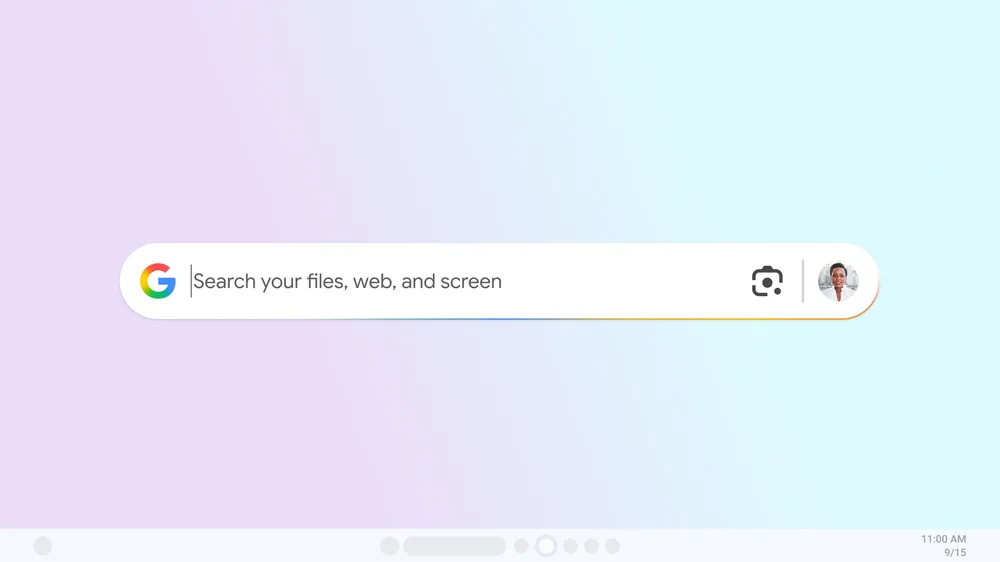







Google announced on Tuesday that it is testing a new experimental Windows app in Labs. The app gives users a way to search across their files, apps, Google Drive, and the web in one place. For now, the app is only available in English and limited to users in the U.S.
How the search app works
The search bar works on Windows 10 and newer versions. Users can activate the feature by pressing Alt + Space, which opens a search window.
Once installed, the app places a search bar directly on the desktop. This bar can be resized and moved to any position on the screen. Users can minimize it at any time by pressing the Alt + Space shortcut.
This setup removes the need to open a browser or switch programs. For example, a user drafting a report in Microsoft Word could look up a document in Google Drive or search the web without leaving the page.
The app works similarly to Apple’s Spotlight search on Mac. Just as Spotlight lets users quickly find apps, files, or web results, this tool places a draggable and resizable search bar directly on the Windows desktop. It becomes part of the workspace and can be minimized or reopened with the same shortcut.
Built-in Google Lens and AI Mode
Google has also included Google Lens in the Windows app. This allows users to highlight any part of their screen and search it directly. Text or images can be highlighted for translation or visual search, similar to how the tool already works on mobile.
The app also includes an AI Mode that offers extended responses with follow-up questions and helpful links. Users can choose to enable or disable this feature in settings.
Customization options and availability
The app gives users control over how it operates. Settings can be adjusted by clicking on the profile menu within the app and selecting Configurations. This allows users to change the keyboard shortcut, enable or disable AI Mode, and personalize the experience.
The app is currently in testing and limited to users who opt in through Google Labs.

 Free tool · Meta Ad Library